
News
Descript October 2026 update: drive search, recording requests and the catch
Affiliate link: this post contains one Descript affiliate link (the “Try Descript” button). If you sign up through it and buy a paid plan, we may earn a commission at no extra cost to you. It doesn’t change what we write. Links to Descript’s changelog and pricing page are normal source links. Read our affiliate disclosure.
The Descript October 2026 update is a mixed bag of handy fixes and one feature most people won't get. Descript posted its "Release roundup—October 12, 2026" on its changelog on October 13. Here is what changed, who can use each part, and the one catch.
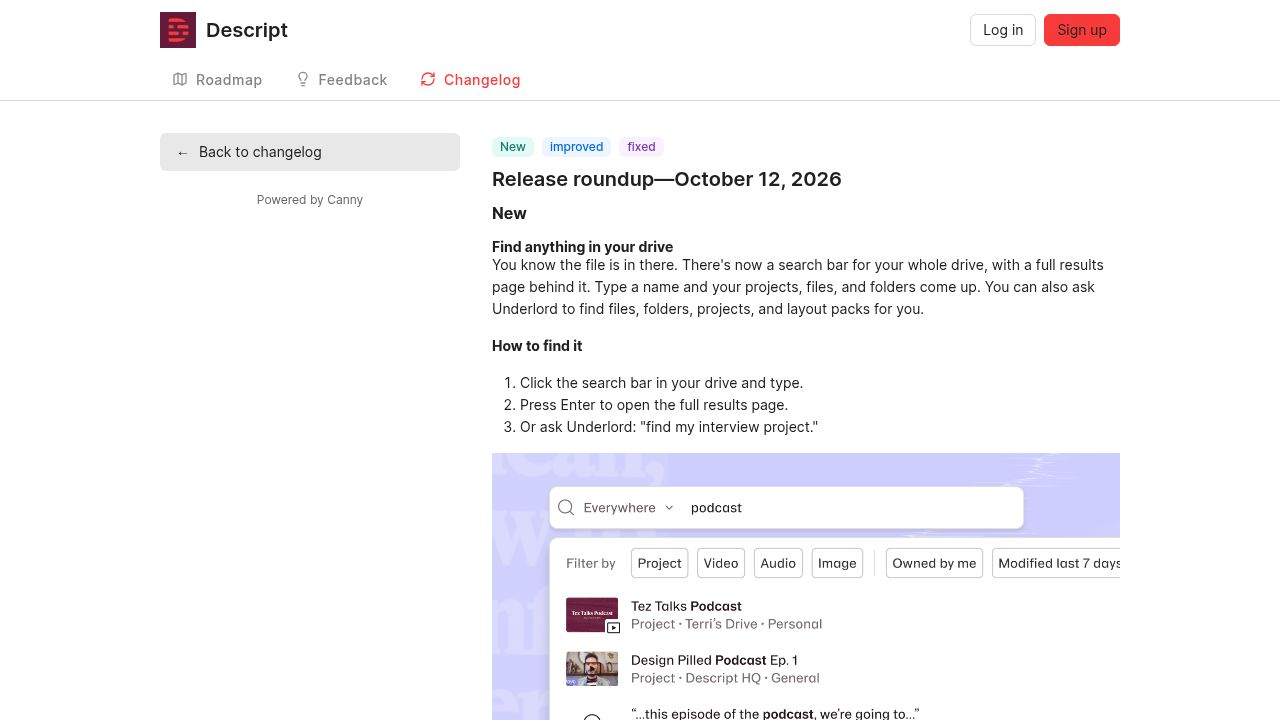
What's new in the Descript October 2026 update
According to Descript's release notes, the main additions are:
- Drive-wide search: a search bar for your whole drive, with a full results page for projects, files and folders. You can also ask Underlord, Descript's AI co-editor, to find them.
- Better AI voice clones: AI Speech now runs on ElevenLabs v4, which Descript says makes clones sound closer to the real person. Pick v4 in your AI model settings.
- Fix file issue: files that lag or stutter get a badge, and a right-click repair.
- Faster AI video on paid plans: Generate video now defaults to MiniMax H3 Max Turbo. Free plans stay on PixVerse V4.5.
- 12 months of usage history: Settings → Usage has a custom range for AI credits and media minutes.
The notes also list a long set of export and publishing fixes, including YouTube publishes that could hang.
How recording requests work
The headline feature lets you ask someone for a recording without booking a call. In a new project you click Record, then Invite others to record and Invite to record async. You set a title, an expiry, and who can record (drive members only, or anyone with the link). You can add a script for the teleprompter. When the recording finishes processing, Descript emails you a link.
Who benefits most
Podcasters and marketers who collect short clips from guests, customers or busy colleagues. The usage history helps anyone trying to stay inside their monthly AI credits.
The catch: recording requests are Enterprise only
Descript's notes say recording requests are "Available on Enterprise drives." Enterprise has no public price; the pricing page says "Custom" and "Talk to sales." So on Hobbyist, Creator or Business you get the search, voice and repair updates, but not the async guest recording that leads the release.
What Descript costs right now
On Descript's pricing page (checked October 17, 2026), per person per month: Hobbyist $16 billed yearly or $24 monthly, Creator $24 or $35, Business $50 or $65. There is also a Free plan.
Price at the time of writing this post (October 17, 2026). If you're reading this later, the price may have changed, so check Descript's site for today's price.
For the plan-by-plan breakdown, see our Descript review. If you mainly want short clips from long videos, compare our OpusClip review, or browse the tools directory.
Affiliate link: we may earn a commission at no extra cost to you.
FAQ
Can I send a Descript recording request on the Creator plan?
Not according to the October 12 notes. Recording requests are listed as available on Enterprise drives.
How do I switch Descript to ElevenLabs v4 voices?
Descript says to pick v4 in your AI model settings. Some projects switch to v4 on their own the next time you open them.
Do free Descript users get the faster video model?
No. The notes say MiniMax H3 Max Turbo is the default on paid plans, and free plans stay on PixVerse V4.5.
Sources
- Release roundup—October 12, 2026 (Descript changelog, posted October 13, 2026)
- Descript pricing (checked October 17, 2026)