
News
ChatGPT Pro API credits: who gets up to $500 a month, how to claim, and the catch
No affiliate links: this post has no affiliate links, and we have no affiliate relationship with OpenAI. Links to OpenAI’s developer docs, changelog and help center are normal source links. Read our affiliate disclosure.
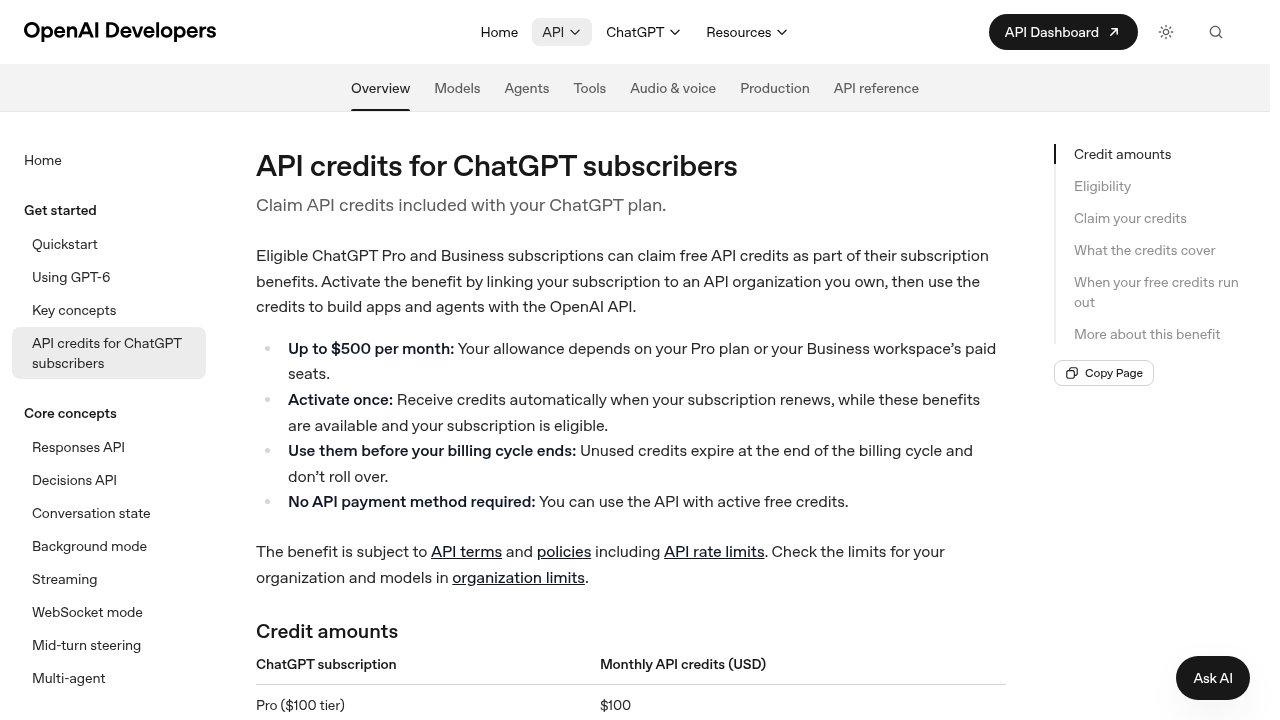
ChatGPT Pro API credits are a new perk: if you pay for ChatGPT Pro, you can now claim up to $500 a month in free OpenAI API credits to build your own apps and agents. OpenAI added the benefit on October 28, 2026, and ChatGPT Business workspaces get a version too. Here's who qualifies, how much you get, how to claim it, and the catch.
How much you get
OpenAI's developer guide lists these monthly amounts:
| ChatGPT subscription | Monthly API credits |
|---|---|
| Pro ($100 tier) | $100 |
| Pro ($200 tier) | $200 |
| Pro ($500 tier) | $500 |
| Business Standard seat | $20 per paid seat |
| Business Premium seat | $100 per paid seat |
Business credits are pooled across the workspace and capped at $500 a month. Your first grant is prorated for the days left in your current billing cycle, so the first amount you see may be smaller.
Who qualifies
- A paid Pro or Business subscription that has been active for at least seven days.
- You must own both the ChatGPT subscription (or Business workspace) and the API organization that receives the credits.
- The same email address on your ChatGPT account and your API account.
ChatGPT Plus, Go, Free, free trials, Enterprise and Edu don't qualify, according to OpenAI's help article.
How to claim ChatGPT Pro API credits
- Sign in to ChatGPT with the account that owns the Pro plan.
- Open Settings, then Billing, and find the API credits benefit.
- Pick the API organization that should receive the credits and confirm.
- Check API Platform billing to see the credits.
You can also start from Billing in the API Platform. You claim once, and credits arrive automatically each time your subscription renews. You don't need to add a payment method to the API account to use them.
What the credits pay for
They cover paid API usage in the linked organization, including the Responses and Agents APIs, the Realtime API for voice, the Images API, and built-in tools such as web search and file search. They don't cover Codex used through API keys, and they don't raise your ChatGPT or signed-in Codex limits.
The catch: use them or lose them
Unused credits expire at the end of each billing cycle and don't roll over. A $200 Pro subscriber who spends $40 of API usage in a month simply loses the other $160. OpenAI also says the benefit "may change or be removed in the future," so don't price a product around it. And when the free balance runs out with no paid credits added, API requests fail with an error until you top up.
Who should claim it
If you already pay for Pro, there's no reason not to switch it on, especially if you've wanted to test an internal tool, a support bot or an automation. For what OpenAI's newest model costs on the API, see our GPT-6.1 Terra post. For another way to get more out of ChatGPT, read about Reducto Office, or browse AI tools in the tools directory.
FAQ
Does ChatGPT Plus get free API credits?
No. OpenAI lists Plus as not eligible. The benefit covers Pro 100, Pro 200, Pro 500 and paid Business seats.
Do ChatGPT Pro API credits roll over?
No. Each month's grant expires at the end of that billing cycle.
Do I need a credit card on the API account?
No. OpenAI says you can use the API with active free credits and no API payment method.
Sources
- API credits for ChatGPT subscribers (OpenAI Developers, checked November 1, 2026)
- API changelog, October 28, 2026 entry (OpenAI Developers)
- API credits benefit for eligible ChatGPT subscriptions (OpenAI Help Center)