
News
Strawberry AI browser 1.0: what it does, what it costs, and the catch
No affiliate links: this post has no affiliate links, and we have no affiliate relationship with Strawberry. Links to Strawberry’s release notes, pricing page and docs are normal source links. Read our affiliate disclosure.
The Strawberry AI browser is out of beta. Strawberry, a Stockholm startup, released Strawberry 1.0 on October 26, 2026: a desktop browser for macOS and Windows with AI "companions" built in that can research, draft and work inside the sites and apps you're already signed into. Browsing is free; the AI work runs on monthly credits. Here's what it does, what each plan costs, and the catch.
What the Strawberry AI browser does
Strawberry works like a normal browser, with companions built in that you can hand a job to. According to Strawberry's site and 1.0 release notes, companions can:
- Use websites and connected apps such as Gmail, Slack and Notion, plus 100+ apps added in May, including QuickBooks, Apollo, Greenhouse and Klaviyo.
- Run routines on a schedule or when something happens in your apps, like summarizing the inbox at 9 AM or drafting a reply when a client writes.
- Record Google Meet, Zoom and Teams calls without a bot joining, then summarize them and pull out action items.
- Make slide decks, one-pagers and social graphics you can export as PNG or PDF.
You choose, per app and per action, what a companion may do without asking. New in 1.0 are nine ready-made companions such as "Sales Sally" and "Talent Theo," customizable companion looks, and a playful "Companion Plaza" on the new tab page.
Strawberry pricing: plans and credits
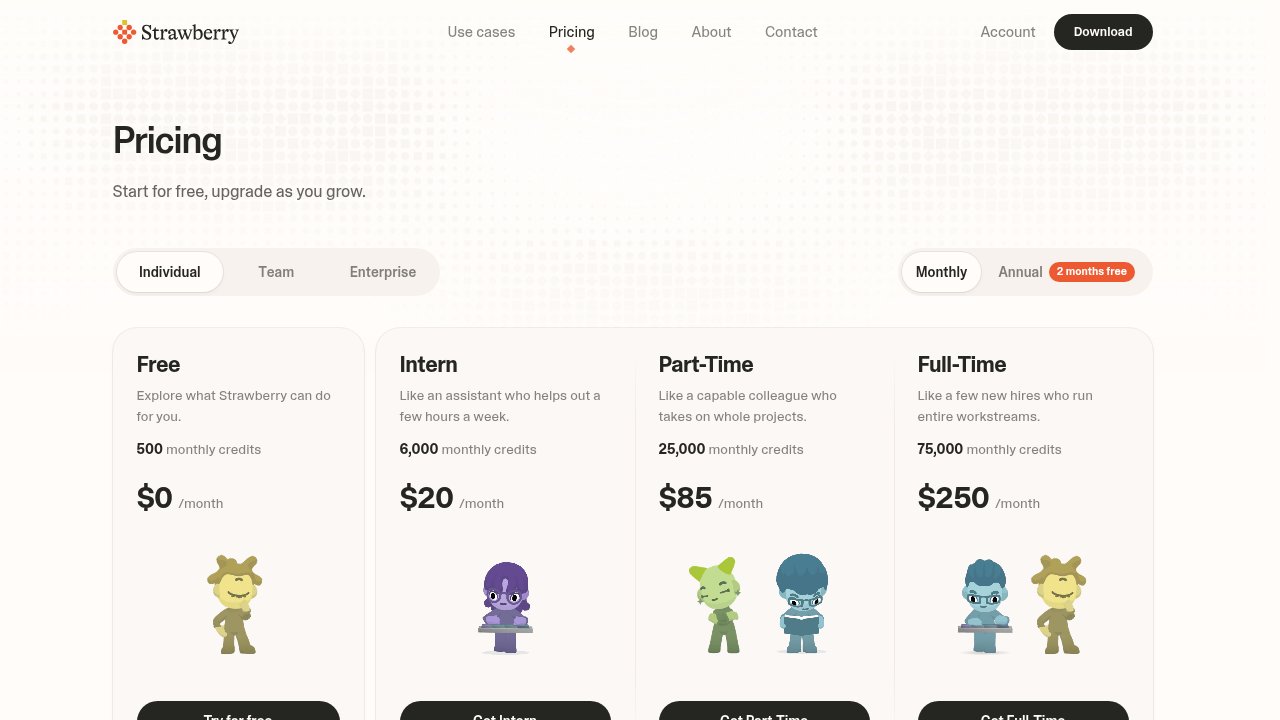
Strawberry's pricing page lists four individual plans, billed monthly (annual billing advertises "2 months free"):
| Plan | Price | Monthly credits |
|---|---|---|
| Free | $0 | 500 |
| Intern | $20/month | 6,000 |
| Part-Time | $85/month | 25,000 |
| Full-Time | $250/month | 75,000 |
Paid plans add Expert mode, model choice and priority access at peak times. Extra credits cost $0.01 each, and purchased top-ups roll over. Team plans include three free seats, and Enterprise adds pooled credits, rollover and invoicing.
The catch: you can't tell what a task costs until it runs
Strawberry doesn't publish a credit price per task. Its credits documentation says any companion reply can use credits, even a normal chat turn, and that agent runs, web research and app actions "usually consume more." Model choice and longer requests use more too. So you can't easily tell whether 6,000 Intern credits covers a month of lead research or a week. Strawberry's own advice is to run a small sample first and check usage in settings before handing over a big batch.
Who should try it
If your day is repetitive browser work, such as prospect research, candidate sourcing, inbox triage or competitor checks, the free plan's 500 credits are enough to test one real workflow before paying. If you'd rather have an agent that lives in your existing tools, compare it with our Gemini Agent review and the Claude Duet post, or browse more options in the tools directory.
FAQ
Is the Strawberry AI browser free?
Yes. Browsing is always free, and the Free plan includes 500 AI credits a month with no credit card needed. Paid plans start at $20 a month.
Do Strawberry credits roll over?
Monthly plan credits don't roll over. Top-ups you buy at $0.01 per credit do.
What computers does Strawberry run on?
Strawberry is available for macOS and Windows.
Sources
- Strawberry 1.0 release notes (Strawberry, released October 26, 2026)
- Strawberry pricing (checked November 2, 2026)
- Credits and usage (Strawberry Docs, checked November 2, 2026)